
Behavior Settings
Behavior Setzen Sietings control how Trandence detects behavioral trading patterns such as revenge trading, euphoria, desperation entries, fee drag, und systemic Risiko. Open Settings > Behavior Config from die proDatei menu.
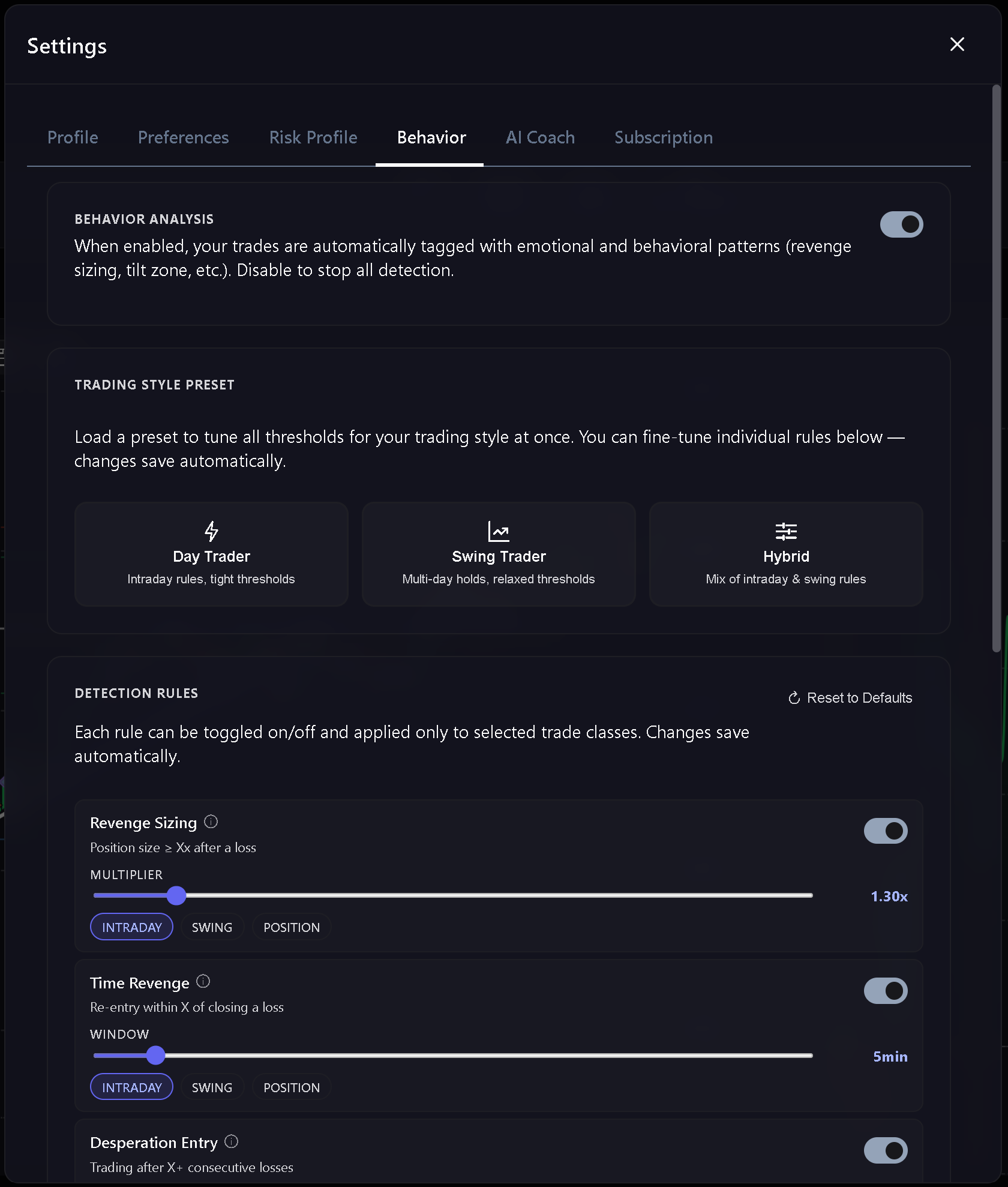
Master Toggle
The behavior detection toggle is die master switch. When it is off, behavioral detection is skipped und behavioral badges or chart markers sollte not appear.
Presets
Behavior Setzen Sietings include presets for different trading styles:
- Day Trader - intraday-focused thresholds.
- Swing Trader - multi-day holds with more relaxed thresholds.
- Hybrid - a mix of intraday und swing rules. Wählen Sieing a preset applies a ready-made configuration for your trading style. Editing an individual rule changes die proDatei to custom.
Auto-Speichern Sie
Behavior Config saves changes automatically, so there are no separate Speichern Sie or Discard buttons. The UI zeigt:
- Saving… while die update is being sent.
- Saved nach die update is complete.
- Save failed if die change cannot be applied. Close Setzen Sietings only nach die save state is clear.
Detection Rules
Each rule can be enabled or disabled und limited to die Trade classes where it sollte apply.
Revenge Sizing
Flags unusually aggressive sizing nach a losing Trade.
Time Revenge
Flags quick re-entry pressure nach a losing Trade.
Desperation Entry
Flags trading that continues nach a loss streak.
Euphoria
Flags trading that becomes aggressive nach a win streak.
Tilt Zone
Flags trading that continues nach drawdown has moved close to die daily Risiko limit.
Catastrophic Averaging
Flags adding to a losing position when die Trade or Session is already under pressure.
Fee Drag
Flags Sessions where fees become large enough to distort die trading result.
Systemic Risk
Looks across multiple losing days und checks whether Risiko was reduced enough nach repeated breaches.
Trade Classes
Rules can apply to:
- INTRADAY - same-day Trades.
- SWING - multi-day Trades shorter than a position hold.
- POSITION - longer holds. At least one class muss remain ausgewählt for each rule.
Reset To Defaults
Klicken Sie Reset to Defaults to remove your custom behavior config und return to die live defaults for your trading style. Reset saves immediately und cancels any pending auto-save.
Verwandte Artikel
Brauchen Sie Hilfe?
Wenn behavior changes do not appear immediately, refresh die affected Seite und confirm that die expected preset und rule are active.
Brauchen Sie Hilfe?
Fragen zu Behavior Settings? Wir antworten innerhalb eines Werktages.