
Dashboard
Dashboard ist die Kommandozentrale für deine Trading-Performance. Es kombiniert KPIs, feste Analyseansichten, Schwachstellenerkennung, Analytics-Pills, einen algorithmischen Periodenbericht mit KI-Copy-Prompts und ein anpassbares Widget-Layout.
Period Controls
Dashboard analysis is scoped by die active Zeitraum. Nutzen Sie die header controls to switch between:
- 1M - last one month.
- 3M - last three months.
- 1Y - last twelve months.
- Custom - a manually ausgewählt date range.
The browser remembers die ausgewählt preset, so refreshing die Seite restores die same Zeitraum. When you choose a custom range, die KPI bar, widgets, weakness insights, und analytics all reload against die same dates.
KPI Bar
The fixed KPI bar stays at die top of Dashboard und summarizes die active Zeitraum. It uses die same Trade Daten und P&L mode as die rest of die Seite, so changing Zeitraum or switching gross/net P&L affects die entire Dashboard consistently.
Dashboard Views
Dashboard has four views. The browser remembers die active view for die next visit.
General
General zeigt die primary performance charts:
- Equity curve.
- Day-of-week performance.
- Time-of-day performance.
Nutzen Sie it for a fast read on whether performance is improving und where returns cluster.
Weaknesses
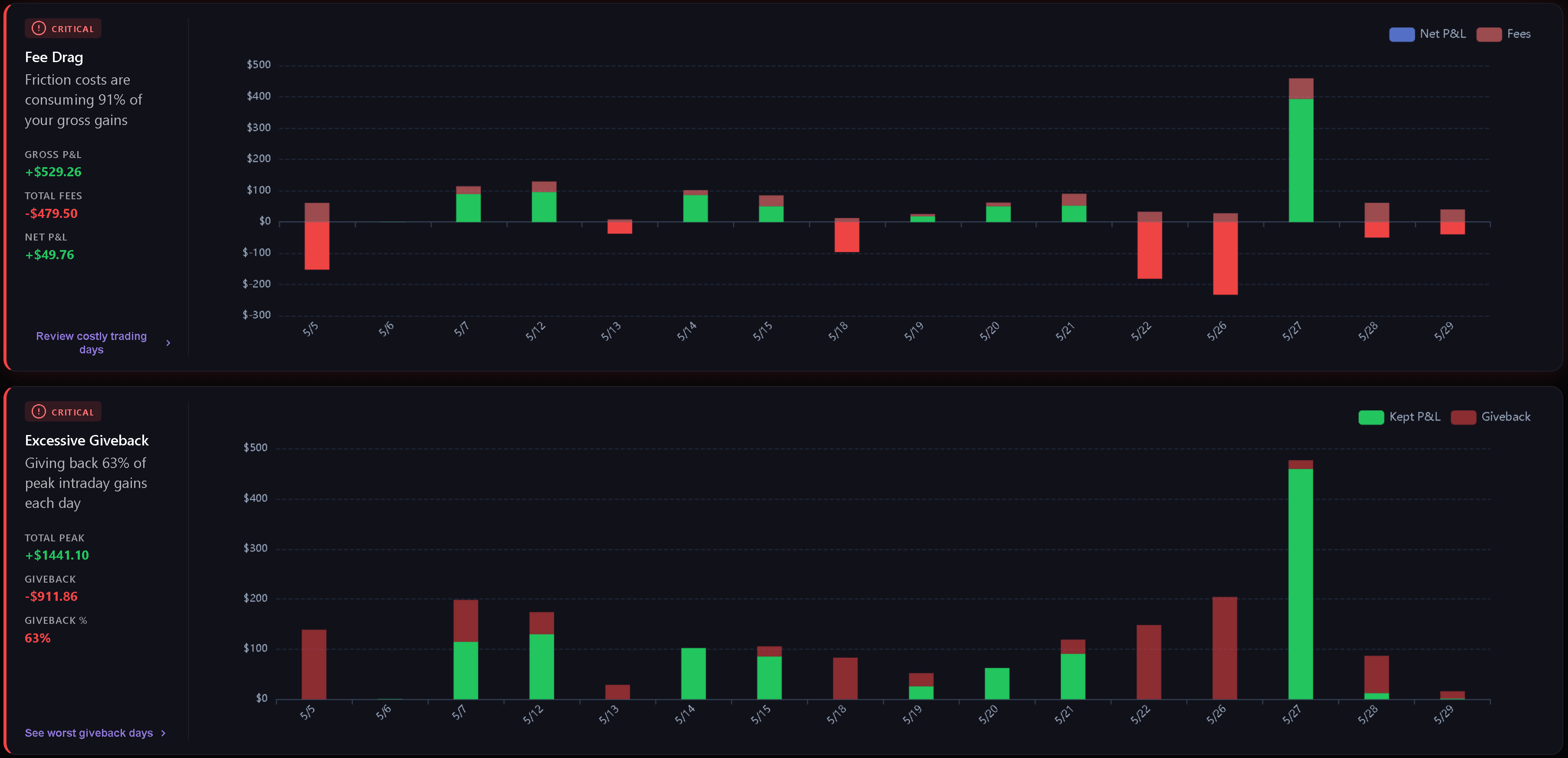
Weaknesses erkennt und sortiert die wichtigsten Schwachstellen im gewählten Zeitraum, anhand deiner eigenen Trades.
Current weakness categories include:
- Fee Drag - how much commissions und fees consume gross gains.
- Excessive Giveback - how much peak intraday profit is lost vor die close.
- Hold Time Asymmetry - whether losing Trades are held much longer than winning Trades.
- Overtrading - how often daily Trade count exceeds die configured threshold.
- Cost of Tilt - die gap between disciplined P&L und actual P&L when behavioral tags are present.
- Behavioral Summary - die top psychological leak und related tag frequency.
Cards are sorted by severity first, then score. Normal metric cards are hidden, und an all-clear state appears when there are Trades but no critical or warning metric weaknesses.
Analytics
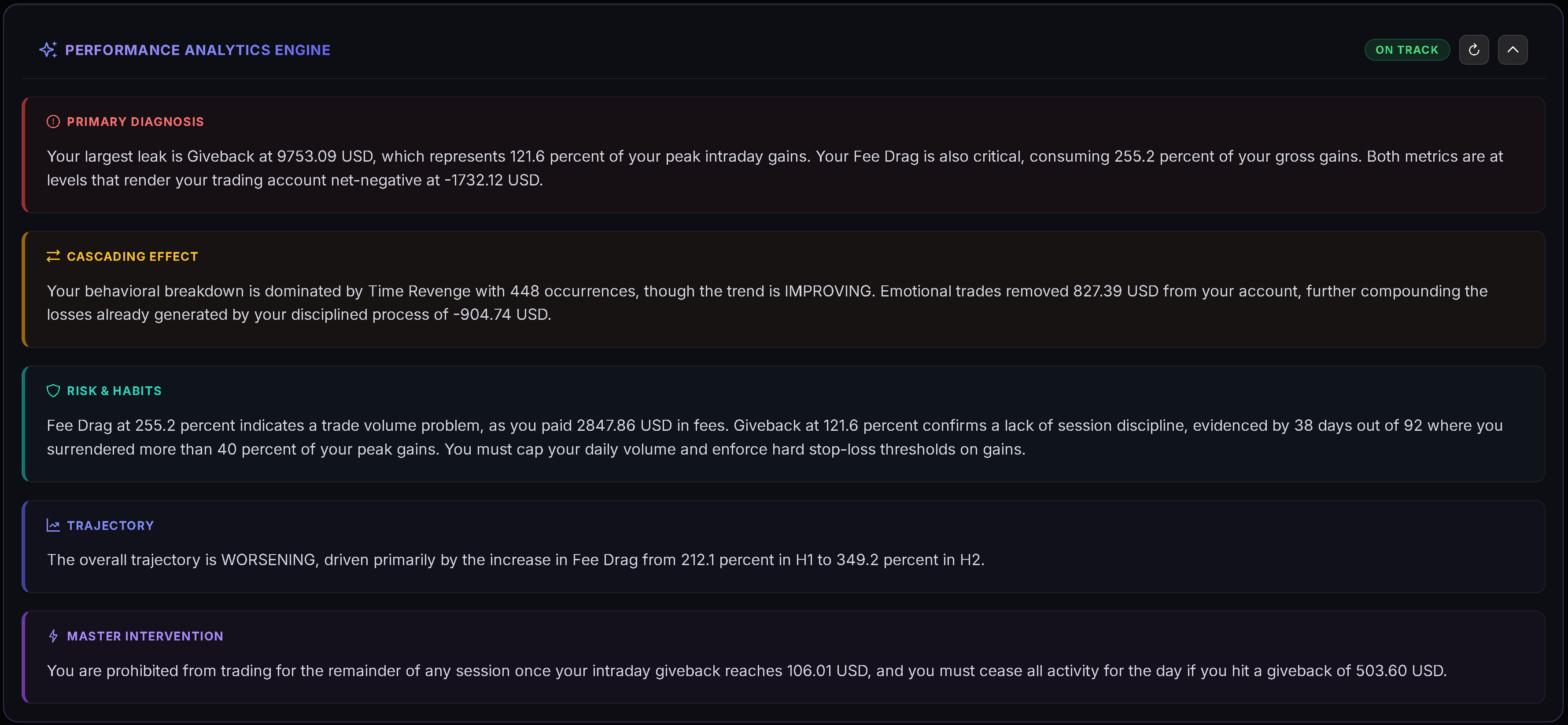
Analytics groups deeper breakdowns into four pills: Playbooks, Tags, Quality, und Discipline. The browser remembers die active analytics pill for die next visit.
See Dashboard Analytics for die full breakdown of what each pill reads und when charts appear.
Custom
Custom is a Gridster layout where you can arrange your own widgets. Klicken Sie Edit Layout to enter edit mode, then add, remove, move, or resize widgets. Klicken Sie Done to save die layout.
Dashboard remembers your custom layout und keeps die verfügbar widget set aktuell over time.
Custom Widgets
Available widgets include:
- Decision Verdict.
- Edge Decomposition.
- Tomorrow Plan.
- Risk Integrity.
- Discipline Radar.
- Regime & Context.
- Cumulative P&L Chart.
- Performance by Month.
- Hold Time Analysis.
- Avg Win vs Loss.
- Largest Gain/Loss.
- Time of Day P&L.
- Behavioral Leaks.
- Fee Drag Analysis.
Some widgets appear only when die ausgewählt Zeitraum has enough Daten to make die view useful.
Periodenbericht (algorithmisch)
Der Periodenbericht befindet sich oben auf dem Dashboard, über den Tabs General / Weaknesses / Analytics, und wird auf allen drei angezeigt. Wenn 1M, 3M oder 1Y ausgewählt ist, deckt er den letzten abgeschlossenen Monat, das letzte Quartal oder das letzte Jahr ab (bei benutzerdefinierten Zeiträumen erscheint er nicht). Eine Toolbar-Schaltfläche (z. B. “2025 report”, “Q3 2026 report”) blendet ihn ein oder aus.
Der Periodenbericht wird deterministisch durch Trandences eigenen Code ohne KI berechnet und enthält:
- eine Fazit-Zeile (Verdict);
- „Where the money went“: bis zu drei Lecks, sortiert nach Dollar-Auswirkung (Gebühren, eine teure halbe Stunde, ein Wochentag mit schlechteren Ergebnissen pro Trade als der Durchschnitt, Wiedereinstiege innerhalb von 5 Minuten nach einem Verlust, Trading nach 3 Verlusten in Folge, Overtrading-Tage, Überschreiten des Daily Stop Loss, übermäßig große Verlusttage, Giveback, ein verlierendes Playbook);
- „What works“: bis zu zwei Stärken;
- „Rules for next period“: zwei Regeln, die direkt aus deinen Zahlen abgeleitet wurden;
- Hinweise, wenn die Stichprobe klein ist oder wenige Trades ein Playbook haben.
Jeder Befund erfordert mindestens 5 Trades.
Copy prompt for AI
Die Schaltfläche „Copy prompt for AI“ in der Kopfzeile des Periodenberichts kopiert einen fertigen Prompt mit deinen berechneten Zahlen, den du in jeden beliebigen KI-Assistenten (Claude, ChatGPT, Gemini oder andere) einfügen kannst. Trandence baut den Prompt auf dem eigenen Server aus deinem Journal auf und übergibt ihn deinem Browser zum Kopieren; er wird niemals an einen KI-Anbieter gesendet — du entscheidest, wo du ihn einfügst. Falls der Browser die Zwischenablage blockiert, öffnet sich ein Dialog zum manuellen Kopieren.
Verwandte Artikel
- Dashboard Analytics
- Dashboard Decision Engine
- Calendar Period Insights
- Daily Plans
- Symbol Reviews
- Playbooks
Brauchen Sie Hilfe?
Wenn Dashboard numbers do not match die Zeitraum you expect, check die active date range, P&L mode, und whether die relevant Trades are Imported for that Zeitraum. Für Hilfe, kontaktieren Sie [email protected].
Brauchen Sie Hilfe?
Fragen zu Dashboard? Wir antworten innerhalb eines Werktages.