
Symbol Reviews
Symbol Vérifiezs let you review execution one symbol at a time. They are le bridge between raw trades et a useful post-market lesson: what was planned, what happened on le chart, what mistakes showed up, et what doit change next time.
Symbol Vérifiezs List
Open Journal > Symbol Reviews to see saved symbol journals. The tableau prend en charge:
- Date sorting.
- Symbol filtering.
- Grade sorting.
- Completion filtering.
- Pagination.
- Direct open action.
Vérifiezs appear après you fill them from le Calendar Symbol Report flow or open a symbol report for a traded symbol.
Queue Workflow
When you review a trading day with multiple symbols, Trandence loads a queue. The header montre le actuel queue position, such as Symbol 2 of 5.
Utilisez:
- Save to save le actuel symbol without moving.
- Save & Next Symbol to save et continue through le queue.
- Save & Go to Calendar when le queue is finished from a Calendar entry point.
Cela aide you complete a full day without losing your place.
Trade Hero And Executions
The Symbol Report starts with le symbol’s campaign-level trade strip. It can include multiple trades et individual executions for le sélectionné symbol/date.
Utilisez le executions drawer to inspect:
- Execution time.
- Side.
- Quantity.
- Price.
- Per-execution P&L where disponibles.
Fundamentals
The Fundamentals drawer can show et edit symbol context such as sector, industry, market cap, shares outstanding, average volume, short float, ATR, RVOL, gap, et pre-market volume metrics where disponibles.
Utilisez fundamentals to separate execution mistakes from context problems. Un trade dans a thin, high-spread name deserves a different review than a liquid symbol with clean structure.
Charts And Drawing Tools
Symbol Report includes chart review tools:
- Price action chart.
- P&L chart.
- Behavioral tag overlay.
- Quant level overlay.
- Drawing tools for lines, trend lines, arrows, et text notes.
- Enregistrezd chart lines.
- Full-screen chart view.
- Snapshot/export actions.
Saving chart lines keeps your visual reconstruction disponibles for later review.
Execution Analysis
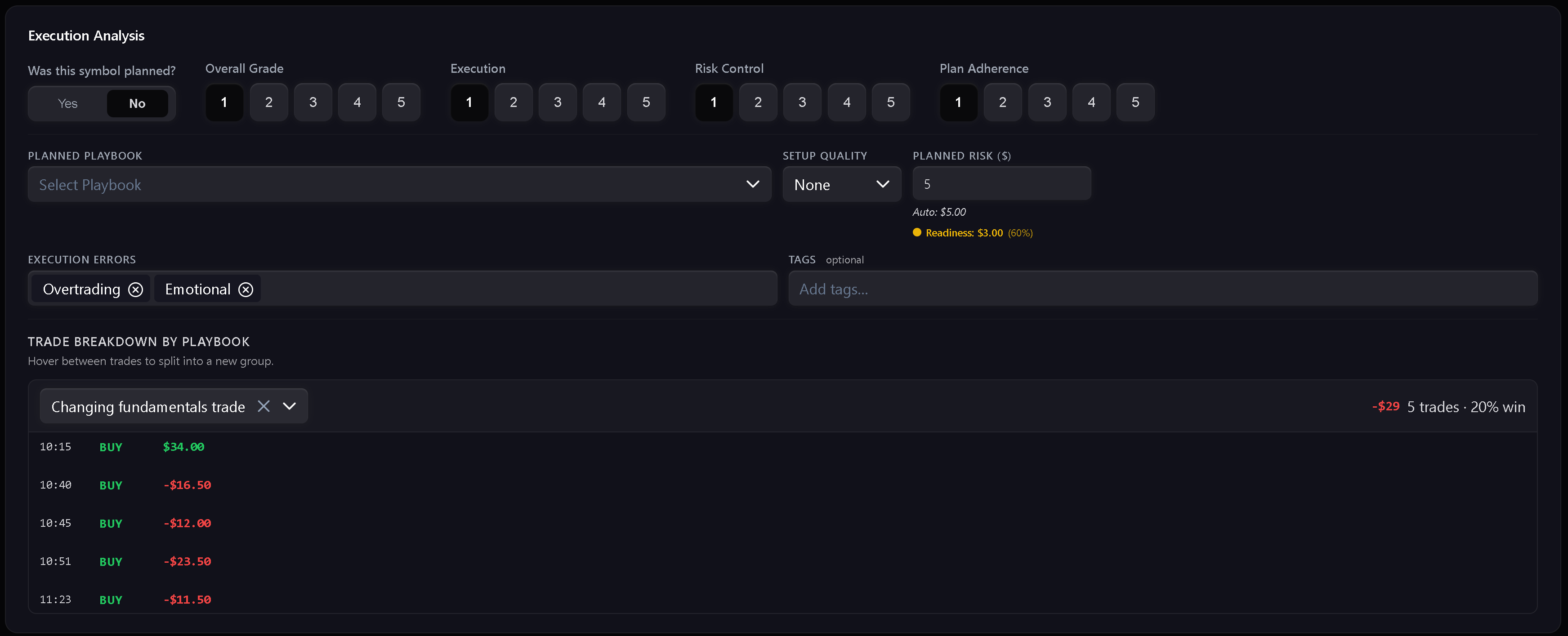
The main review card captures execution quality:
- Grade.
- Execution score.
- Risk control score.
- Plan adherence score.
- Planned playbook.
- Définissezup quality.
- Planned risque amount.
- Execution errors.
- Tags.
- Trade breakdown by playbook.
- Reflection.
Si le symbol was on le pre-market watchlist, Trandence can bridge relevant playbook et setup context into le Symbol Report.
Playbooks, Risk, And Readiness
Symbol Report can auto-calculate planned risque from your risque profichier et readiness context. Si le auto value is not correct for le trade, you can override planned risque manually et reset it later.
When playbook adherence is low, Trandence can warn that le trade may not be a clean sample of that setup even if it sera still be logged for behavioral analysis.
Suggestions
Tag et mistake fields support suggestions. Les suggestions aident standardiser your vocabulaire so later analytics can group repeated issues instead of treating every phrase as a séparés erreur.
Vous pouvez remove unwanted suggestions when they are no longer useful.
Export
Symbol Report can render a tear-sheet style export. Utilisez it when you want to archive a trade review, share it with a coach, or keep a visual record of le setup et execution.
Besoin d’aide ?
Si a symbol is missing from le queue, confirm le trades exist for le sélectionné date et timezone. Si chart or fundamentals données does not load, retry le drawer or contact [email protected].
Besoin d'aide ?
Des questions sur Symbol Reviews ? Nous répondons sous un jour ouvrable.